iPad Planner Apps: Handwritten Digital Planner vs. Task and Calendar App
Key answer If writing with a pen and decorating matter most, use a note-taking app with a PDF planner template. If alerts, repeating tasks and syncing across devices matter most, pick a task-and-calendar app. Many people mix the two: plan the week big on iPad and get alerts on iPhone.
Written by LIPSON, the maker of Aria. Facts about other apps come from App Store listings in the US store (description, price, supported devices) and the companies' official pages as of , and can change with updates. This is a guide to help you choose, not a ranking.
How do handwritten planners and app planners differ?
| Feature | Handwritten | App |
|---|---|---|
| Feel | Free writing with a pen, stickers and decorating | Input fields and lists |
| Alerts | Handwriting in a template does not ring on its own | Time, place and repeating alerts |
| Repeating events | Rewrite them every week | Set once and it repeats |
| Search | Depends on the note app's search | Find by title or date right away |
| With iPhone | View pages through note-app syncing | Tasks and events continue as the same records |
| Cost | Note app plus templates (free to paid) | Free to start, some subscriptions |
For example, the Goodnotes App Store listing describes built-in and importable planner templates and mixing handwriting and typing on one page. On the task-app side, Things 3 for iPad is a paid app ($19.99), while an app such as Aria is free to download (US App Store, 2026-10-17).
Which approach suits which person?
- Handwritten: people who think by writing, enjoy decorating a journal, or do not have many things to check each day
- App: people who cannot miss deadlines or appointments, have many repeating events, or need the same plan on iPhone and Mac
- Mixed: people who want to plan with a pen and move only what needs an alert into an app
How do I see a weekly plan on a big screen?
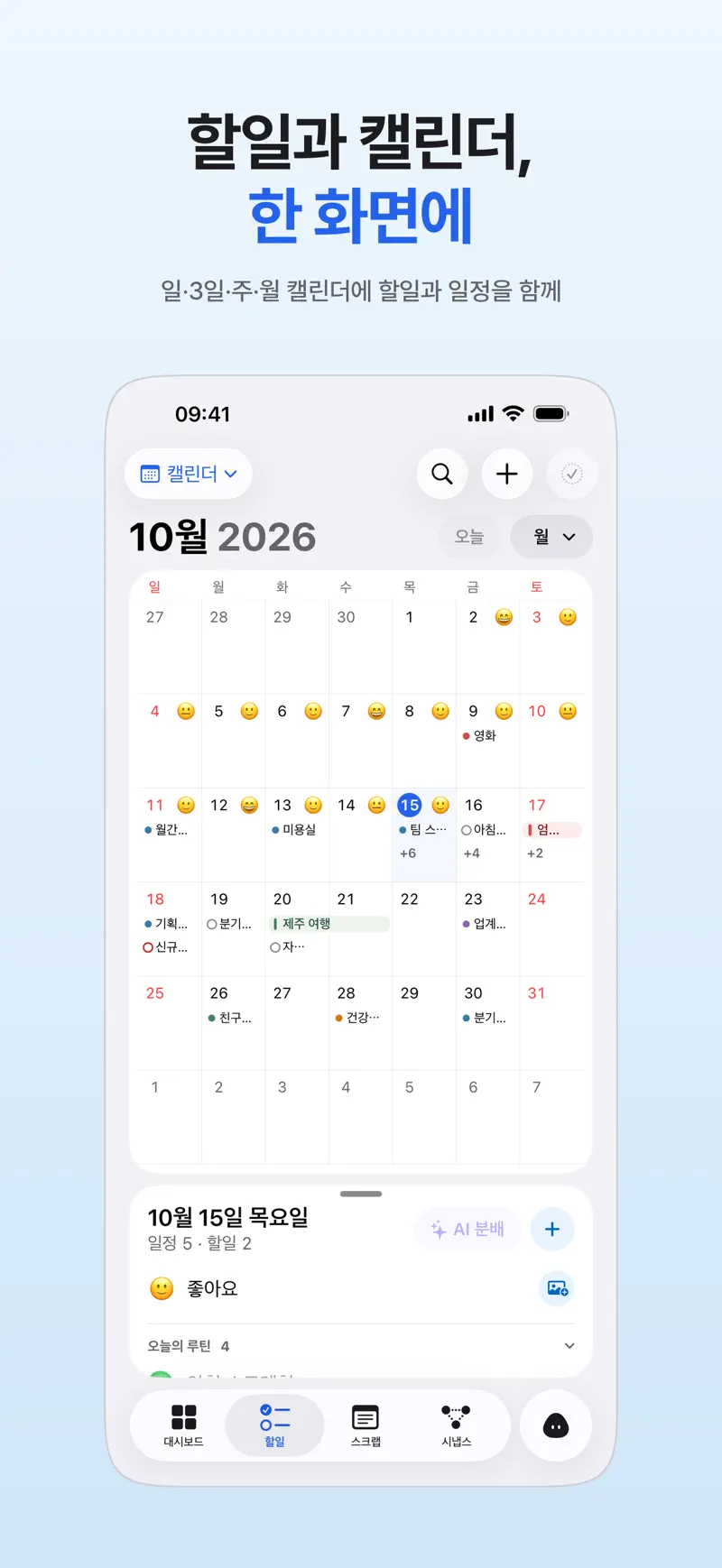
On iPad, Aria offers Day, 3-day, Week and Month views. Drag a task into an open slot on the timetable and the time is reserved, and in Month view you see tasks, events, and the day's mood and photo for each date. Your device calendar events show up too, so you can line up work meetings and personal tasks on one board (Calendar and to-do app in one view).
How do I use it with my iPhone?
Sign in with Apple using the same Apple account in Aria on iPad and iPhone and your task and event records continue across both. Plan on the iPad, then get alerts and Home Screen widgets on the iPhone you carry everywhere. If records seem to drift apart, see Aria sync not working.
How do I combine it with a handwritten planner?
| When | iPad (handwritten) | iPhone (Aria) |
|---|---|---|
| Sunday night | Write this week's goals and appointments on the weekly page | Capture just the lines with dates, share them with Aria, then confirm the events it finds |
| Monday morning | Three must-do lines in the Today box | Check today's events and first tasks in the morning briefing |
| Wednesday | Notes for a mid-week check-in | Move what you did not finish with Defer |
| Friday evening | Weekly look-back | Use Reschedule all in the evening wrap-up to push what is left to next week |
| Weekend | Decorate and add photos | Look back at completed tasks, routines and mood in the Weekly Briefing |
Aria finds dates in photos and screenshots and suggests events and alerts (Add events from photos and screenshots). Handwriting can be harder to read than print, so check the date and time on the result card before adding. Writing dates clearly in numbers makes checking easier.
FAQ
Are iPad planner apps free?
It varies. Note apps and planner templates range from free to paid, and task-and-calendar apps are either bought once or free to download with a subscription for more. Aria is free to download, and its features that do not use AI are all free.
How do I get alerts for events written in a handwritten planner?
Events you write by hand in a PDF template do not trigger alerts on their own. Move only the ones that need an alert into a task or calendar app. If you share a page capture with Aria, it finds the dates and suggests events and alerts for you to confirm and add.
My iPad and iPhone schedules do not match.
Aria records need the same Apple account signed in on both devices. Device calendar events follow each device's calendar accounts, so check that your iCloud or Google calendar is turned on on that device too.
iPhone · iPad · Mac · Apple Watch · iOS 26.0 or later · English · Korean