College Student Planner App: Deadlines, Classes and Exams in One Place
Key answer College life splits into classes, assignment deadlines, exams and jobs or clubs, so it helps when deadline alerts and time planning live in one app. In the first week, pull assignment and exam dates out of your syllabus PDFs in one pass, and a whole semester of deadlines is set in roughly ten minutes.
This guide was written by LIPSON, the maker of Aria.
What makes a college schedule hard?
- Announcements arrive scattered across the learning management system, group chats, syllabi and professors’ emails.
- Deadlines differ by course. Some are 11:59 PM, others are before class starts.
- Assignments and exams pile up in midterm and finals weeks.
- Jobs and clubs squeeze in between classes.
What should I enter in the first week?
- Collect your syllabus PDFs Download each course’s syllabus and keep them together in the Files app.
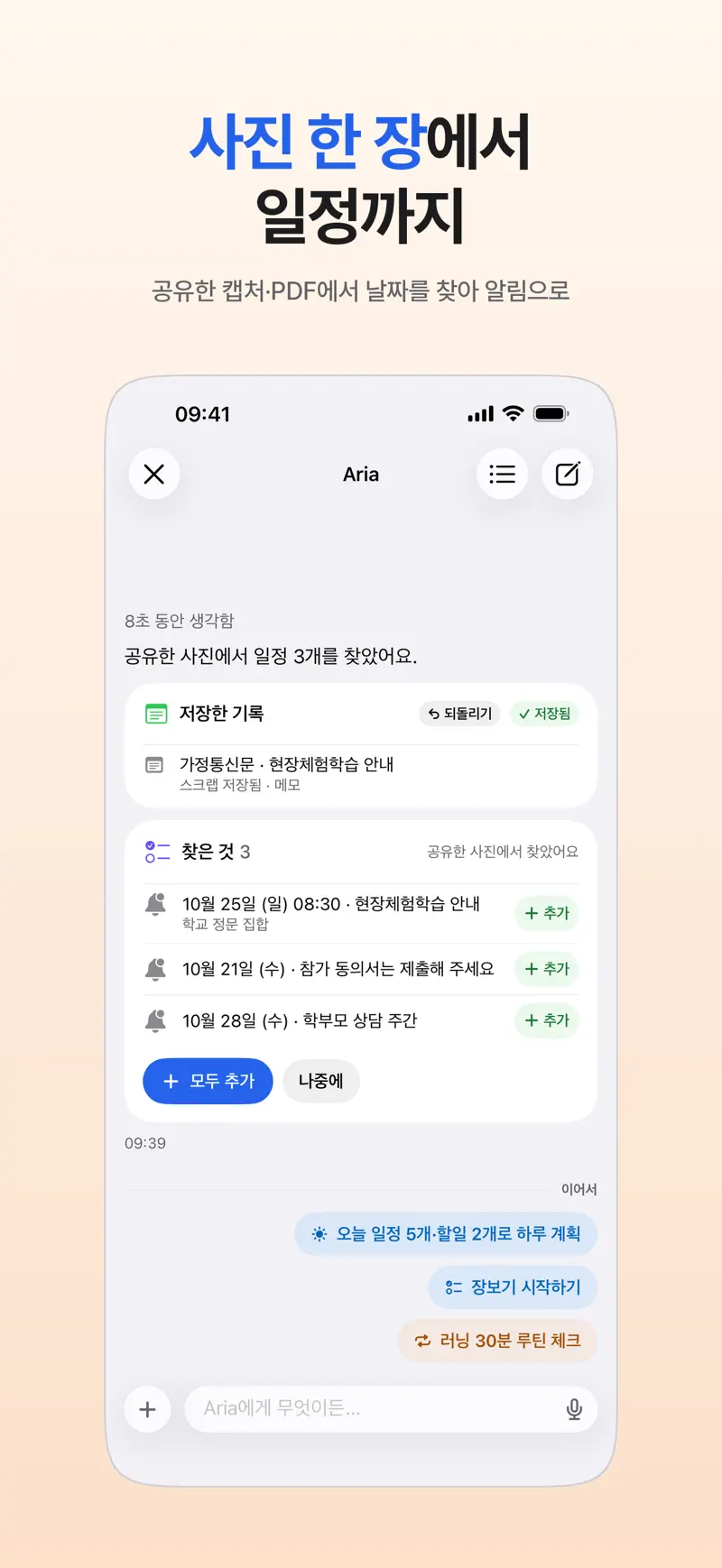
- Share them to Aria Send a PDF to Aria with the Share button. Aria finds the dates inside and shows them as suggested events and tasks.
- Check the dates and add them Make sure assignment and exam dates are right, then tap Add All. Leave “TBA” dates blank and add them when they are announced.
- Count down to exams Make midterms and finals into D-days from Add D-day on the dashboard or from chat, and show them in a widget.
- Sort by course Create a category per course name to see each course’s tasks together.
For example, say a made-up syllabus lists “Assignment 1 due in week 3,” “Midterm in week 8,” “Team presentation in week 12” and “Final report in week 15.” Add the assignment, presentation and report as tasks with deadlines, and the midterm as a D-day. The PDF content is sent to the AI provider you agreed to so it can find the dates, so check the dates and times before you add them (photo and PDF to schedule).
How do I avoid missing a deadline?
Enter the exact deadline time first. Aria reminds you in stages as a deadline approaches, and for a must-not-miss deadline such as a late-night submission you can set a must-ring alarm that sounds even in silent mode. The day before, add subtasks like “convert file to PDF” and “check the submission format” so you are not scrambling at the last minute. Alert settings are in iPhone to-do reminders that actually ring.
How do I keep lecture notes organized?
Tap Start Recording in Aria to record a lecture and it summarizes the transcript and pulls out to-dos such as “read chapter 3 by next week.” If you start recording from a class event, you can attach the summary to that event’s notes afterward. Recording files stay on the device that recorded them.
Before recording a lecture, get your professor’s consent and check that your school’s policy or the syllabus does not prohibit recording. More in Meeting and lecture recording summaries.
How do I plan around exams?
| When | To do | In Aria |
|---|---|---|
| First week | Enter syllabus dates · create course categories | Share PDF, then Add All · categories |
| Weeks 3-6 | Track assignment deadlines · organize lecture recordings | Staged deadline alerts · Start Recording |
| 3 weeks before midterms | Split material by course · set study blocks | D-day · drag tasks onto the week calendar |
| Midterm week | Confirm exam time and room | Must-ring alarm · morning briefing |
| Weeks 9-13 | Split team project roles · prepare the presentation | Break into subtasks |
| 3 weeks before finals | Re-plan reports and exams | D-day · Reschedule All |
For a study plan aimed at one exam, see the eight-week backward plan in How to plan exam study.
FAQ
Do I need both a class timetable app and a planner app?
It works well to keep the class timetable in your school’s timetable app and put assignments, exams and appointments in a planner app. Aria has no dedicated class-timetable feature, so add classes to the iPhone Calendar as repeating events and view them in Aria, or use a timetable app alongside it.
What is a free planner app for college students?
The built-in iPhone Calendar and Reminders are a fine start. Aria is free to start: all non-AI features are free and AI requests are free up to 20 a day.
How do I manage my schedule while taking notes on an iPad?
On iPad, sign in with the same Apple Account and Aria uses the same records as on iPhone. Take notes in your note-taking app and add new assignments from an Aria widget or the chat. For choosing apps, see our guide to iPad planner apps.
iPhone · iPad · Mac · iOS 26.0 or later · English · Korean