Best Way to Use a Grocery List App on iPhone: Auto-Sort and Store Arrival Alerts
Key answer A grocery list only needs two things: add items the moment you think of them, and see them grouped the way you walk through the store. The Groceries list in Apple Reminders and Aria's grocery list both group items by category automatically, and a location alert can tell you when you arrive at the store.
Written by LIPSON, the maker of Aria. Details about Reminders are based on Apple Support documents as of October 17, 2026, and can change with iOS updates.
What should I look for in a grocery list app?
- Fast entry: can you add an item by voice or widget the moment you think of it?
- Auto-grouping: do items show up grouped by store section, like produce or dairy?
- Sharing: can family add and remove items on the same list?
- Location alerts: does it remind you of the list when you arrive at the store?
How do the three approaches differ?
| Feature | Reminders Groceries list | Aria grocery list | Dedicated grocery app |
|---|---|---|---|
| Auto-grouping | Set the list type to Groceries and items are sorted into categories | Items in a category turned on as a grocery list are grouped by store category | Varies by app |
| Sharing with family | List sharing and assigning | None | Varies by app |
| Location alerts | Location-based reminders | Pick a place on a task for arrival and departure alerts | Varies by app |
| Many items at once | Add with Siri | One sentence in chat becomes one task per item | Varies by app |
| What you need | iCloud for Reminders turned on | Aria installed | The app installed |
How do I group items by category automatically?
In Reminders, open the list, tap More, then Show List Info, and choose Groceries as the list type. If an item is sorted wrongly, touch and hold it and drag it to another category, and Reminders remembers that the next time you add the same item. More features are in iPhone Reminders guide.
In Aria, build a grocery list like this. You can also show only the categories tied to a Focus mode, so other tasks stay out of the way while you shop.
- Create a grocery category Name the category “Groceries” or “Store” and it appears as a grocery list from the start.
- Turn it on for other names In the Tasks tab, touch and hold that category chip and turn on the grocery list view. This setting is saved on that device.
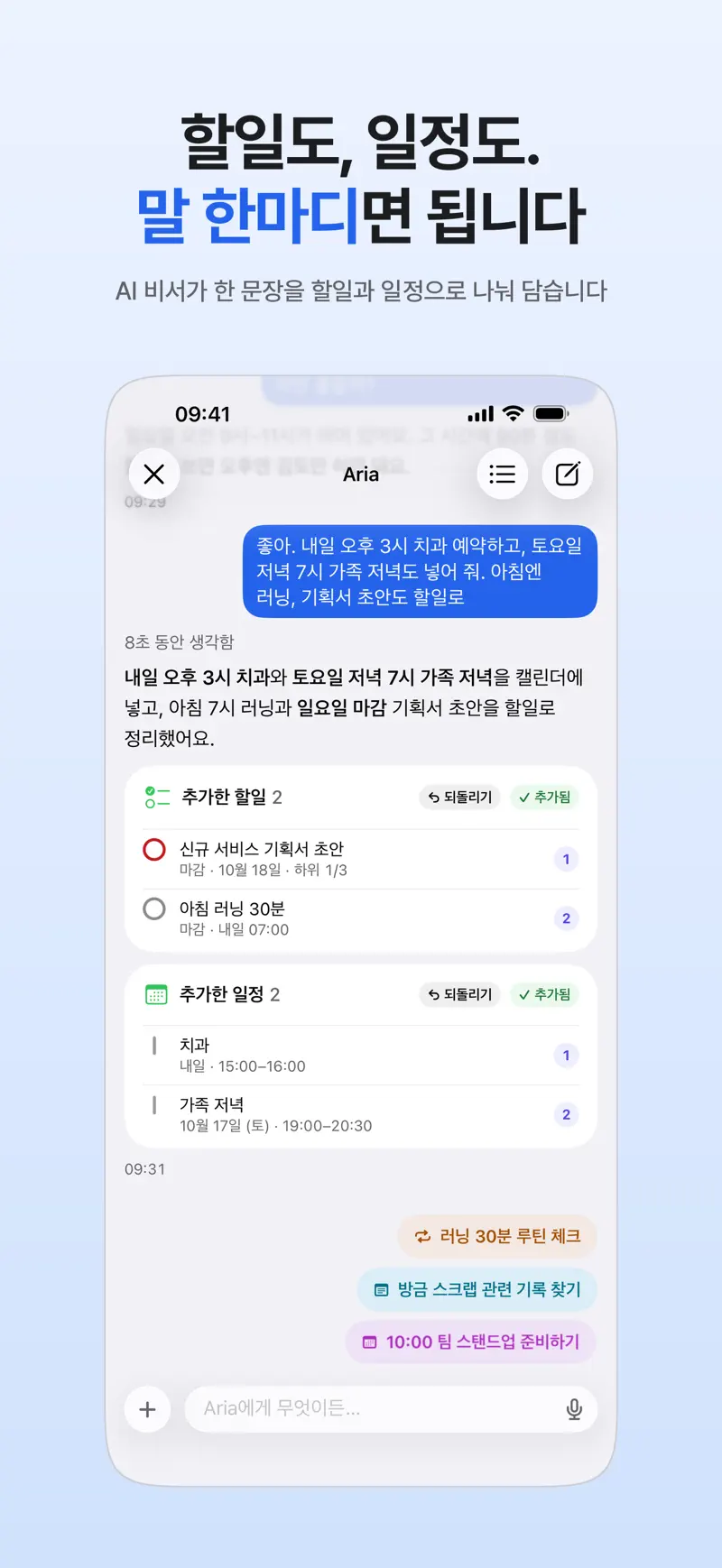
- Add items in one sentence Tell the chat “I need milk, eggs, tofu and apples” and each item becomes its own task on the grocery list. If they show up as task suggestions, tap Add all.
- Set an arrival alert On a “stop at the store” task, set your usual store as the place and choose On arrival.
How do I add many items at once?
When you are standing at the fridge thinking of what ran out, do not type them one by one. Say it in one sentence: “I need milk, eggs, tofu and apples.” Each of the four becomes a task, grouped by store category on the grocery list, so you can check off several in one section as you walk the aisles. More examples are in How to add tasks and events by voice.
How do I get an alert when I arrive at the store?
Rather than setting a place for every item, put a place on a single “stop at the store” task. When you arrive you get the alert, and then you open the grocery list. The first time you turn on On arrival, Aria asks for location permission, so allow it. If alerts do not come, follow the checklist in iPhone to-do alerts that you will not miss.
How do I share the list with family?
Aria does not have list sharing. If your family needs to add and remove items together, a shared list in Reminders is the right tool. Open the list, tap the share button and invite family, and anyone who accepts can add, delete and mark items complete (per Apple Support). If you shop alone, adding items by voice to Aria's grocery list is quicker.
FAQ
Can the built-in Reminders app work as a grocery list?
Yes. In iOS 17 and later, set the list type to Groceries and items are grouped into categories automatically. iCloud for Reminders needs to be on (per Apple Support).
How do I share a grocery list with family?
In Reminders, open the list and tap the share button to invite family. People who accept can add, remove and complete items. Aria has no sharing feature, so it is not a fit for a list that several people edit together.
How do I re-add things I buy often?
For items you buy every week, such as milk and eggs, make them repeating tasks in Aria and they come back on the list on the schedule you set. For things you buy now and then, saying them again in one sentence is usually faster.
iPhone · iPad · Mac · Apple Watch · iOS 26.0 or later · English · Korean