Notion Calendar Alternatives: Tasks and Events on One Screen, Without Notion
Key answer Notion Calendar is strongest at tying Google and iCloud calendar events to Notion databases. If you still live in Notion, keep it. If you are cutting back on Notion and want to add tasks quickly on iPhone, an alternative is an app that shows your device calendars and lets you drag tasks onto time slots. Aria does not connect to Notion directly.
This guide was written by LIPSON, the maker of Aria. Details for other apps come from their US App Store listings and official company pages as of October 17, 2026, and can change with updates. It is meant to help you choose, not to rank apps.
Who is Notion Calendar for?
According to Notion’s official page (October 2026), Notion Calendar shows your Google Calendar accounts and iCloud-synced Apple calendars together, and lets you add Notion database items to the calendar. It has macOS, Windows, iPhone and Android apps and is free to get. It suits people who move between meetings and Notion docs and projects on one screen.
Why do people look for an alternative?
- You barely use Notion, or you are cutting back.
- Your tasks live in a Notion database, and adding one from your iPhone is a hassle.
- You want tasks and events in one list and one calendar instead of managing them separately.
- You want to type or say “Meeting tomorrow at 3 PM” in plain English.
Are you staying in Notion?
This one question splits the choice.
- Path A: you keep using Notion — Leave Notion Calendar as it is, and on iPhone add events quickly in the built-in Calendar or the Google Calendar app. Its link to Notion databases is hard for other apps to replace.
- Path B: you are cutting back on Notion — Keep events in the iPhone Calendar (with your Google account connected) and move tasks to a to-do app that shows them next to the calendar. The table below helps you choose.
How do the alternatives differ?
| App | Tasks next to events | Google events | Notion link | Price to download |
|---|---|---|---|---|
| Notion Calendar | Notion database items on the calendar | Syncs with Google, Outlook and iCloud-synced calendars | Yes | Free |
| Google Calendar | Create and manage tasks inside Calendar | Native | No | Free |
| Fantastical | Task support including Todoist and Google Tasks | Connects to iCloud, Google, Exchange and Office 365 calendars | Not in the App Store description | Free to download (Flexibits Premium subscription) |
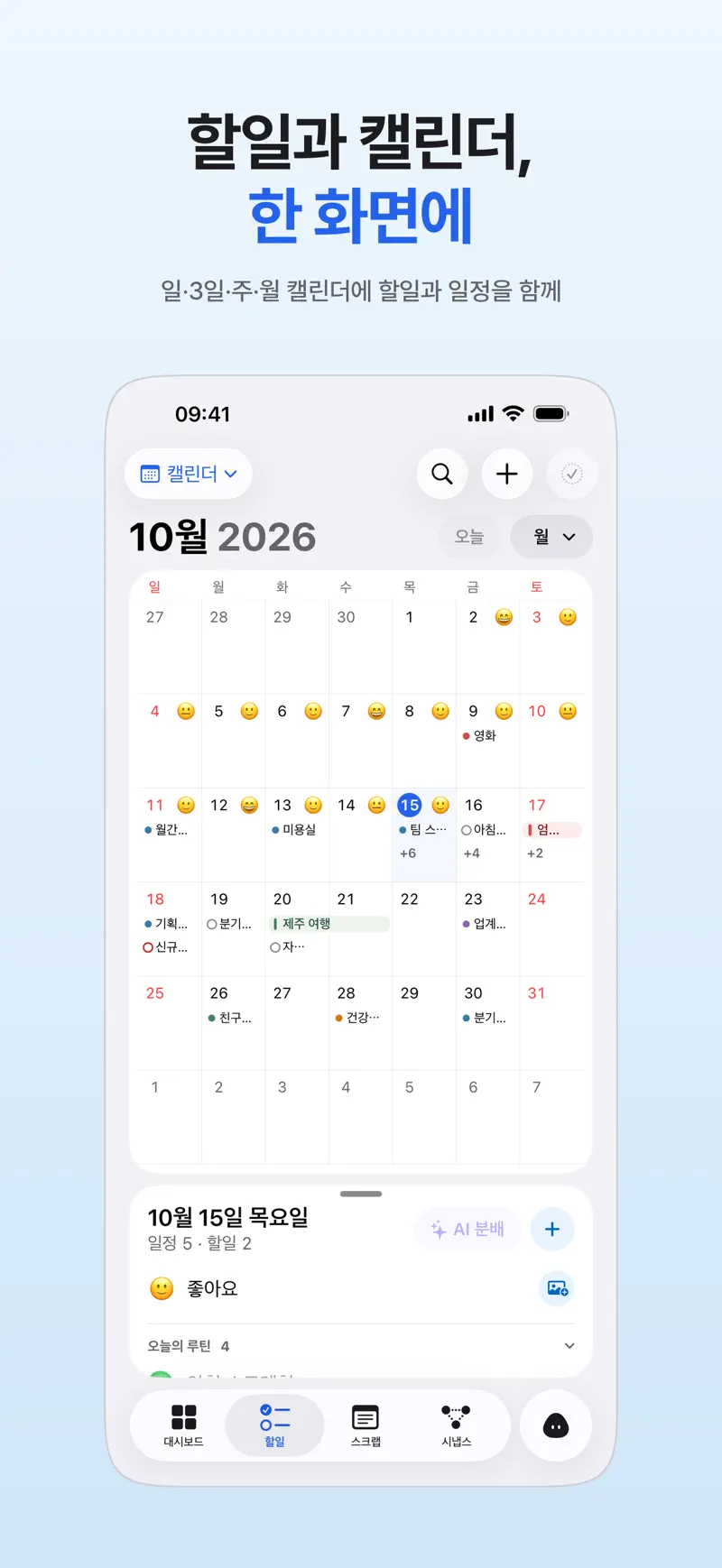
| Aria | Tasks and events together in day, 3-day, week and month views, with tasks dragged onto a time grid | Shows events from Google accounts connected to your iPhone | No | Free (optional Aria Pro) |
Can I still see my Google Calendar events?
Yes. Aria reads the calendars connected to your iPhone and shows them with your tasks. First turn on Calendars for your Google account in iPhone Settings (How to add Google Calendar to your iPhone), then tap Connect Calendar in Aria and allow Full Access. You can choose the default calendar for AI-created events in Aria settings. If events are missing, check iPhone calendar events not showing up in Aria.
How do I move my Notion tasks?
Aria has no Notion integration, so nothing moves automatically. Here is a manual route.
- Pick only the active tasks In your Notion database, filter down to items whose status is “Not started” or “In progress.”
- Copy titles and dates Copy the task names and due dates so each task is one line with its date.
- Paste them into the Aria chat Pasted lines are split into suggested tasks. Check the dates and tap Add All.
- Keep Notion for documents Meeting notes and reference material stay in Notion, and to-dos and events live in Aria, so the two do not overlap.
After you add them, drag tasks onto the calendar grid to claim time (calendar planner app). In the morning, the briefing points out today’s events and what to do first (AI schedule assistant).
FAQ
Can I use Notion Calendar on iPhone?
Yes. Notion Calendar has an iPhone app that is free on the US App Store (as of October 2026). Notion’s official page also lists macOS, Windows and Android.
Is Notion Calendar free?
Notion’s official page says you can get Notion Calendar for free, and its US App Store price is free. Notion’s own plans are separate, so features on the Notion side can depend on your workspace.
How do I move tasks from a Notion database to another app?
If the app has no automatic integration, the fastest route is to pick only the active items and move those. Aria splits pasted lines into suggested tasks, so you check the dates and add them all at once.
iPhone · iPad · Mac · iOS 26.0 or later · English · Korean