Schedule Management for Office Workers: Meetings, Tasks and Personal Life on One Screen
Key answer The least hassle is to keep your work calendar (Google or Outlook) as is and layer your own tasks on top of it by time. Three checks a day are the core: on the way to work, see today's meetings and what to do first; right after a meeting, pull out the action items; before leaving, move what is left to tomorrow.
Written by LIPSON, the maker of Aria.
How do I separate the company calendar from personal tasks?
The rule is to keep timed events in one place, your work calendar, and keep anything you can do whenever in one task app. If you connect your work account to the iPhone Calendar (Settings, Apps, Calendar, Calendar Accounts, Add Account), your task app can overlay the two.
When you tap Connect Calendar in Aria, the work events connected to your iPhone appear with your tasks, and you can drag a task into an open slot between meetings. If events do not show, see Calendar events not showing in Aria. If your company policy does not allow adding a work account to a personal phone, follow the apps your company allows.
How does the three-checks-a-day routine work?
| When | What to do | Aria screen |
|---|---|---|
| On the way to work | Check the first meeting time and pick 1-3 things to do first | Morning briefing (listen to it) · Dashboard |
| Right after lunch | Write down what came up this morning and protect one afternoon focus block | Tell the chat by voice · drag onto the calendar timetable |
| Before leaving | Move what is left to tomorrow and decide tomorrow's first task | Evening wrap-up Reschedule all · Defer |
What do I look at in the five minutes on the way to work?
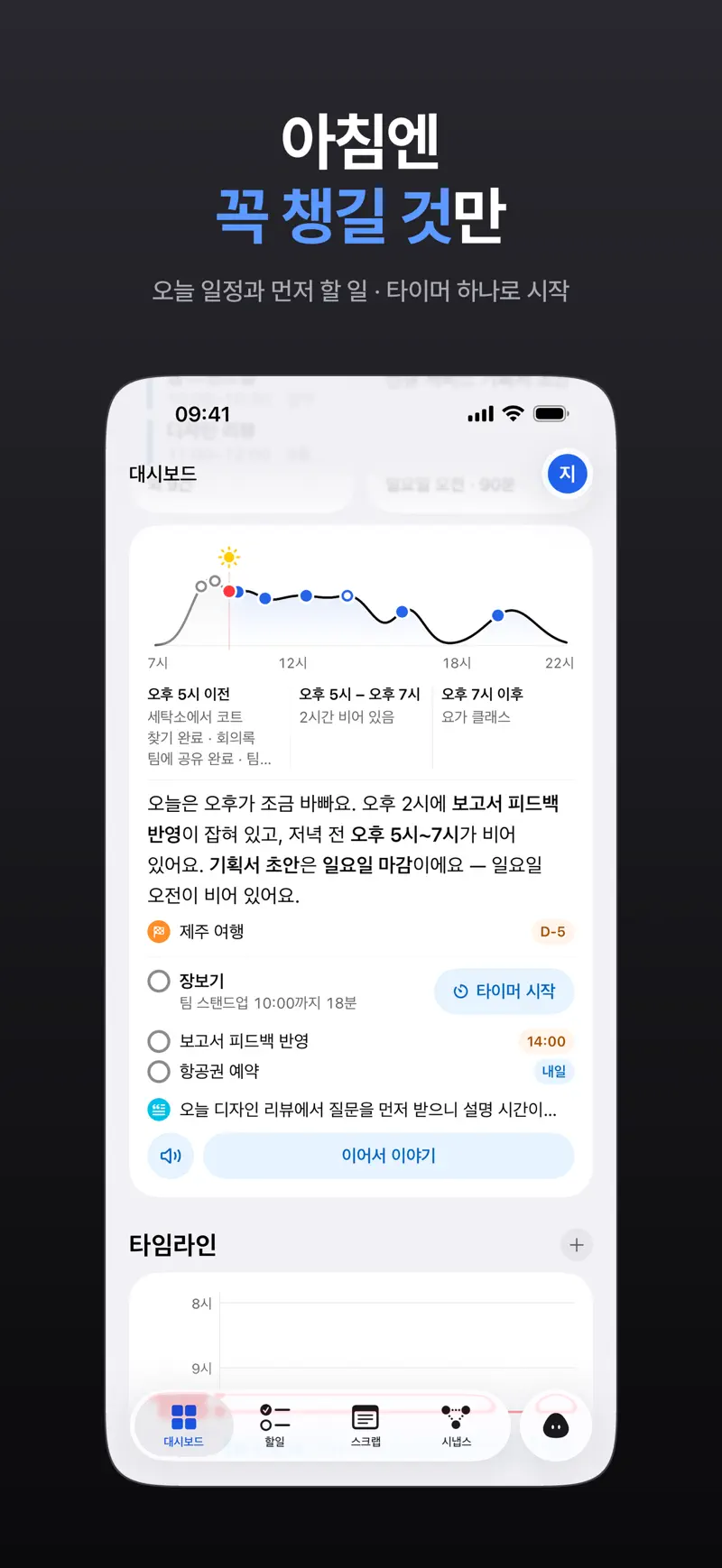
Just three things: the first meeting time and what to prepare, today's deadlines, and the one big task for the open time between meetings. Aria's morning briefing gives you today's events and what to do first in a few sentences, and you can listen to it, which works well with earbuds on a crowded train. More on briefings is in AI schedule planner app.
How do I pull out action items after a meeting?
| When | What to check |
|---|---|
| 5 minutes before | Open the agenda and materials · one line on what you will say · confirm the end time |
| 10 minutes right after | What was decided · what you own and when it is due · what you are waiting on from others |
If you record a meeting with Start Recording in Aria, it summarizes the transcript and finds action items in it. If you start recording from a meeting event, you can attach the summary to that event's notes afterward.
Before recording a meeting, tell everyone attending and get their consent. Some companies restrict meeting recordings or the use of outside AI services, so check your company policy first. Instructions are in meeting and lecture recording summaries.
How do I wrap up before leaving?
- Check off what you finished today.
- Move what is left all at once with Reschedule all in the evening wrap-up, or one by one with Defer to change the date.
- Pick the one thing to do first tomorrow and drag it into a morning slot.
If you work on a Mac, you can use Aria from the menu bar and desktop widgets too, so you can check today's tasks without taking out your phone.
Should I keep work and personal records separate?
Using categories in one app is easier than splitting across two apps. A doctor's appointment or grocery run that comes to mind at work goes in the same place, and during work hours you can use a Focus mode to show only the work category. Handle customer information and company confidential material only in tools your company permits. Aria is a personal task and calendar app, so it has no collaboration features such as sharing tasks with teammates or assigning owners.
FAQ
How do I see my work Outlook calendar on my iPhone?
In Settings, go to Apps, Calendar, Calendar Accounts, Add Account, and choose Microsoft Exchange or Outlook.com to add your work account. Some companies allow only approved apps, so follow your IT guidance. Events you can see in the iPhone Calendar can also be shown in Aria with Connect Calendar.
Can I put work content into an AI app?
Check your company security policy first. Aria sends only what a request needs to its AI providers over encrypted connections and does not use your data to train AI models. Even so, it is safest to handle customer personal data and confidential material only in tools your company allows. Details are in the AI Notice.
What should I look for in a scheduling app for work?
Three things: does it read your work calendar as is, can you quickly add tasks after a meeting, and can you move leftovers to tomorrow in one step before leaving. For team scheduling and work management, use the collaboration tool your company chose; for personal tasks and a daily plan, a personal scheduling app fits.
iPhone · iPad · Mac · Apple Watch · iOS 26.0 or later · English · Korean