Best Calendar and Planner Apps for iPhone: 7 Compared (October 2026)
Key answer Start with the built-in Calendar and Reminders apps on iPhone, then choose by need: natural-language entry (Fantastical, Todoist), a to-do-list-first app (TickTick, Todoist, Things 3), or an AI assistant that files tasks and events from one spoken sentence (Aria). The table below uses US App Store details as of October 17, 2026.
This guide was written by LIPSON, the maker of Aria. Details about other apps come from their US App Store listings (descriptions, price and supported languages) as of and may change with updates. It is a list to help you choose, not a ranking.
How do they compare at a glance?
| App | Maker | Price to download | Main features in the App Store description |
|---|---|---|---|
| Aria | LIPSON | Free (optional Aria Pro subscription) | Turn one sentence into tasks and events, a morning briefing, tasks and day, 3-day, week and month calendars on one screen |
| Calendar | Apple | Free | Events from iCloud, Exchange, Google and more in one place; List, Day, Week and Month views; invitations and calendar sharing |
| Reminders | Apple | Free | Add by voice with Siri, Smart Lists, grocery lists that group items automatically, Home Screen widgets |
| Fantastical | Flexibits | Free (Flexibits Premium subscription available) | Natural-language input; day, week, month, quarter and year views; task support (Todoist, Google Tasks) |
| TickTick | Appest Limited | Free (Premium subscription available) | Sync across devices, multiple reminders, flexible calendar views, recurring tasks, shared task lists |
| Todoist | Todoist Inc. | Free (paid plans available) | Natural-language task entry, Quick Add |
| Things 3 | Cultured Code | $9.99 (iPhone) | Planning your day and managing projects; to-dos with notes, tags and subtasks |
How do you choose for your situation?
- If you have few events and already use iCloud — start with the built-in Calendar and Reminders. Nothing to install, and they connect directly to Siri and widgets.
- If you want to type a sentence and be done — the App Store descriptions for Fantastical and Todoist both feature natural-language entry, and Aria understands phrases like “tomorrow at 3 p.m.” too.
- If your to-do list and projects come first — compare apps built around task management, such as TickTick, Todoist and Things 3.
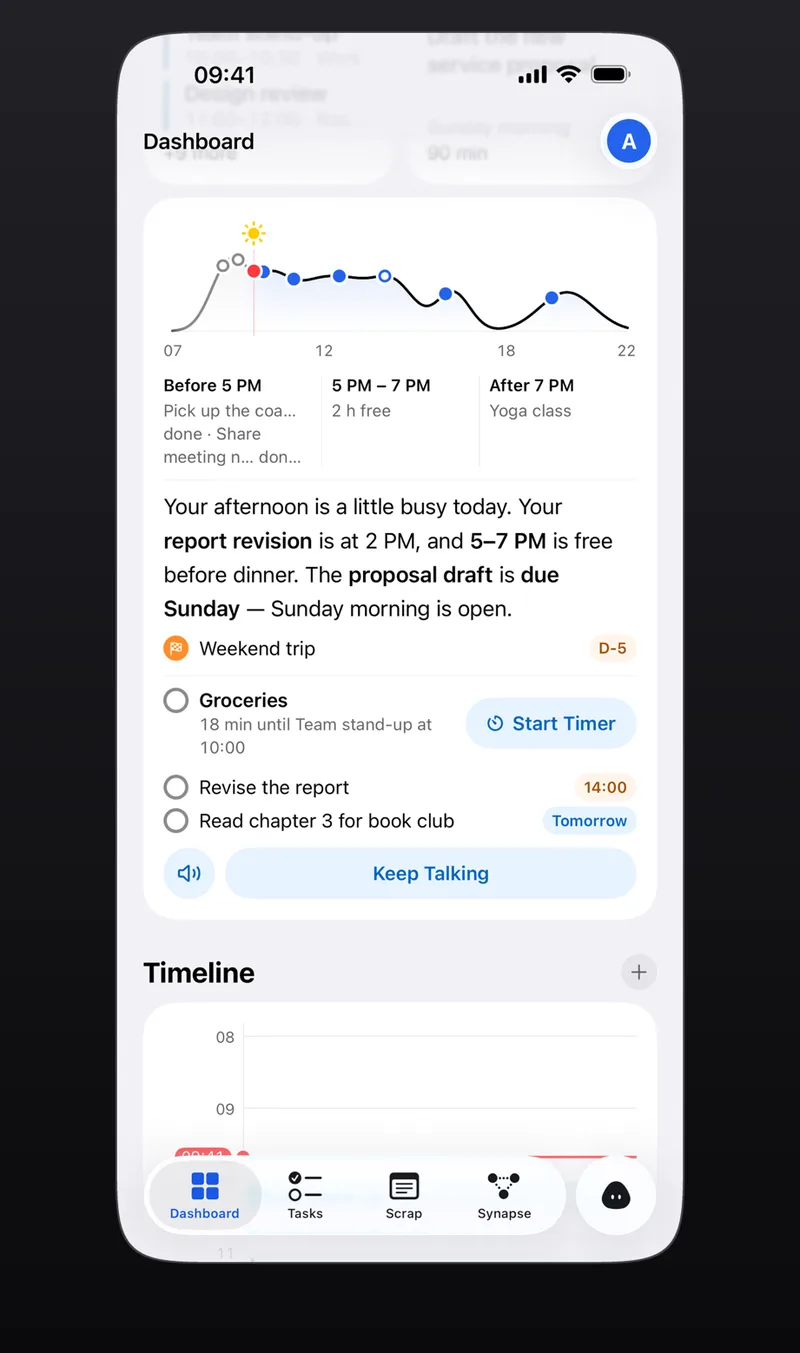
- If you want tasks and events on one screen, organized by talking — Aria splits one sentence into tasks and events and gives you a briefing each morning on what to handle today.
What sets each app apart?
1. Aria: a task and calendar AI assistant you talk to
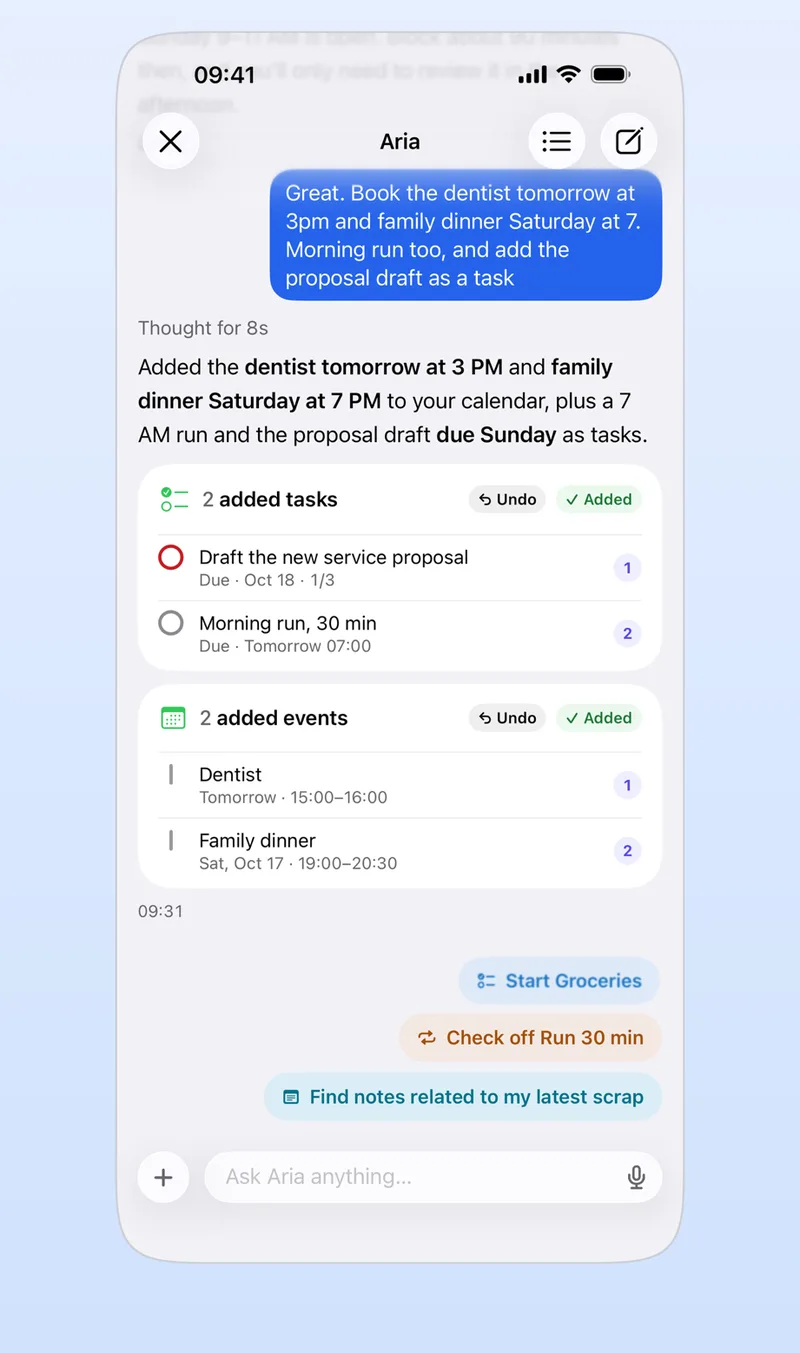
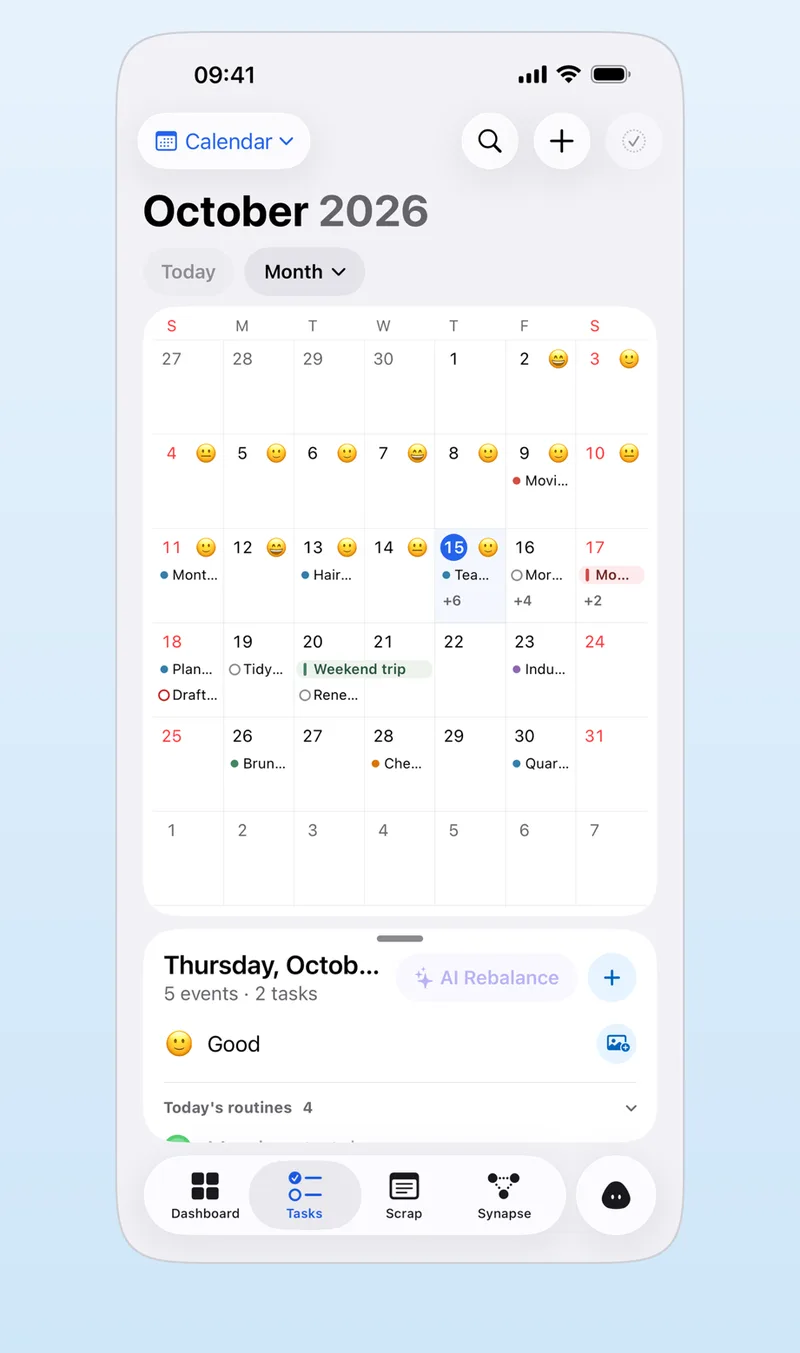
Aria puts task management and calendar management into one AI assistant. Say “Report due Friday, team meeting tomorrow at 3 p.m.” and it splits that into one task and one event. You get Today, Upcoming, Someday and Inbox lists plus day, 3-day, week and month calendars, and events from your device calendars show up too. Every non-AI feature is free, and 20 AI questions a day are free.
2. Calendar (Apple)
The built-in iPhone calendar app. According to its App Store description, you can see events from iCloud, Exchange, Google and other accounts in one place, switch between List, Day, Week and Month views, invite people and share calendars. Scheduled reminders also appear in Calendar.
3. Reminders (Apple)
The built-in iPhone to-do app. Its App Store description lists adding by voice with Siri, Control Center and the Action Button, Smart Lists, grocery lists that group items automatically, and Home Screen widgets. If you want to bring a list into Aria, see moving tasks from Apple Reminders.
4. Fantastical
A calendar app from Flexibits. Its listing highlights natural-language input, day, week, month, quarter and year views, and task support including Todoist and Google Tasks. A paid subscription, Flexibits Premium, is available.
5. TickTick
A to-do app from Appest Limited. Its listing highlights syncing across devices, multiple reminders, flexible calendar views, flexible recurring tasks, shared task lists, a Pomo timer and habits. It is free to download, and a Premium subscription adds more.
6. Todoist
A task manager and planner from Todoist Inc. Its listing highlights adding tasks in natural language and a Quick Add feature. It is free to download, with paid plans available.
7. Things 3
A to-do app from Cultured Code focused on planning your day and managing projects. On the US App Store the iPhone app costs $9.99 (iPad and Mac versions are sold separately).
Who is Aria a good fit for?
- People who want to say whatever comes to mind and have it filed as tasks, events and notes
- People who want a short morning rundown of only what matters today — AI scheduling assistant
- People who do not want to switch between a to-do list and a calendar — to-do calendar app
- People tired of retyping dates from photos, screenshots and PDFs — adding events from photos
Aria is a generative-AI assistant, so you give AI consent when you first start. It runs on iPhone, iPad, Mac and Apple Watch (iOS and iPadOS 26.0 or later), you can start without signing in, and the app has no ads.
Frequently asked questions
What is the best calendar app for iPhone?
It depends on what you need. The built-in Calendar app handles events from several accounts and sharing. For natural-language entry look at Fantastical or Todoist; for tasks and events on one screen, look at Aria. Use the table above to compare.
Do I need a separate calendar app on iPhone?
Not necessarily. If you have few events and already use iCloud, the built-in Calendar and Reminders may be enough. Look for another app when you want tasks and events on one screen or want to enter things in a sentence.
Is Aria free?
Aria’s non-AI features are free, and 20 AI questions a day are free. See the FAQ for Aria Pro.
iPhone · iPad · Mac · Apple Watch · iOS 26.0 or later · English · Korean