TickTick Alternatives for iPhone: Pick a To-Do App by Why You’re Leaving
Key answer If you are leaving TickTick because it has too many features, look at Reminders or Things 3. If typing tasks is a chore, look at an AI assistant that takes one sentence (Aria). If you also need Windows, look at Microsoft To Do or Todoist. If you need a Pomodoro timer, a habit tracker or many operating systems, you may be better off staying with TickTick.
This guide was written by LIPSON, the maker of Aria. Details about other apps come from their US App Store listings (descriptions, price and supported devices) and each company’s official pages as of , and may change with updates. It is a guide to help you choose, not a ranking.
Why do people look for a TickTick alternative?
TickTick puts tasks, a calendar, habits and a focus timer in one app, so which parts matter differs from person to person. People usually look elsewhere for one of five reasons: so many unused features make the screen feel busy, adding one task takes too many taps, a feature they need is in the paid plan, they want to type dates in plain sentences, or they only use Apple devices and want something quiet.
Which alternative fits which reason?
| Why you’re leaving | Apps to look at | Why |
|---|---|---|
| I want only the features I use | Reminders, Things 3 | Reminders is built in, and Things 3 centers on planning your day and projects ($9.99 for iPhone). |
| Adding one task takes too many taps | Aria, Todoist | Aria splits one spoken or typed sentence into tasks and events, and Todoist’s listing highlights natural-language Quick Add. |
| I want to type dates in plain sentences | Aria, Todoist | Aria understands phrases like “tomorrow at 3 p.m.” and “by Friday.” |
| My work PC is Windows | Microsoft To Do, Todoist | Microsoft To Do syncs with Microsoft 365, and Todoist also works in a browser. |
| I only use Apple devices | Reminders, Aria | Reminders syncs through iCloud; Aria links iPhone, iPad and Mac with Sign in with Apple. |
What does TickTick have that Aria does not?
Check what you might miss before you move. This is based on Aria 1.1.4.
| Feature | TickTick | Aria |
|---|---|---|
| Android, Windows and web apps | Yes | No (Apple devices only: iPhone, iPad, Mac, Apple Watch) |
| Shared task lists and collaboration | Yes | No |
| Pomodoro timer | Yes | No dedicated feature — focus on one task with the Start today timer |
| Habit tracker | Yes | Routine streaks and Follow along instead |
| Eisenhower matrix and Kanban views | Yes | No in 1.1.4 (day, 3-day, week and month calendars and lists) |
| Apple Watch app | Yes | Yes (tick off today’s tasks, talk to Aria) |
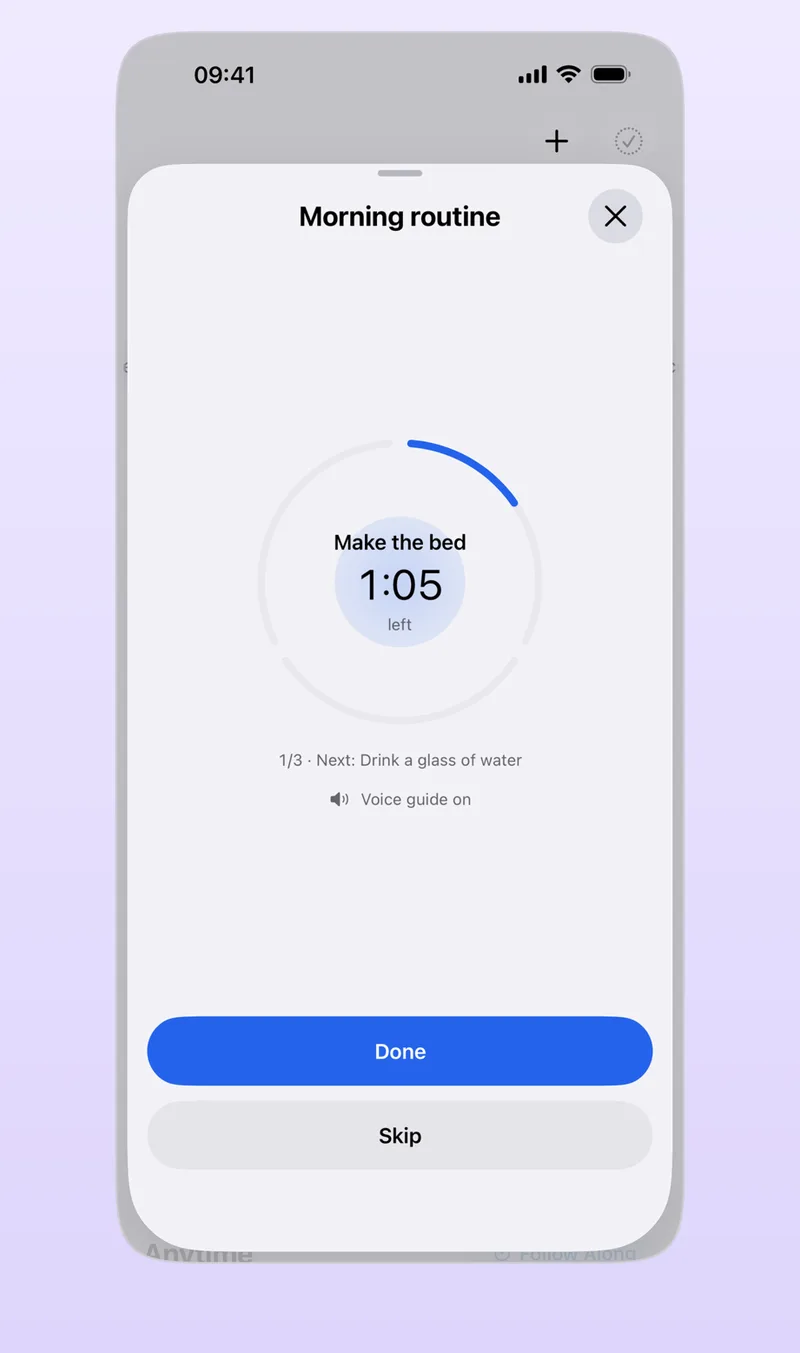
On the other hand, Aria has one-sentence input that splits into tasks and events, a morning briefing and evening wrap-up, finding dates in photos and PDFs, and Must-ring alarms that sound even in silent mode. Routines follow a timer step by step, so they work well in place of a habit log (routine and habit app).
How do you move your tasks over?
Aria does not import TickTick data directly. The only direct import is Apple Reminders, so here is the way to move:
- Pick only the tasks in progress Leave finished records in TickTick and choose only what you still have to do.
- Say them or paste them in one go In the Aria chat, say or paste them in one run, like “dentist next Tuesday, report draft by Friday…”
- Check the suggestions and add them When they are split into task suggestions, check the dates and tap Add All.
The steps for adding by voice are in how to add tasks by voice.
How much can you use for free?
As of October 2026, the US App Store description for TickTick lists these as Premium features: more lists and tasks, up to 5 reminders per task, sharing a list with more members, calendar subscriptions, a grid view of the calendar, custom Smart Lists, and more than 5 habits or countdowns. Aria’s non-AI features, such as the calendar views, routines, D-day and widgets, are all free, and 20 AI questions a day are free. One Must-ring alarm per task is free; multiple alarms per task are in Aria Pro.
Frequently asked questions
What is the difference between TickTick free and paid?
As of October 2026, the US App Store description lists features such as more lists and tasks, up to 5 reminders per task, calendar subscriptions, a grid view of the calendar and custom Smart Lists as Premium. Check the TickTick app for the exact price and scope.
What can I use instead of TickTick’s Pomodoro timer?
Aria has no dedicated Pomodoro feature. Put a timer on one task under Start today and the time left shows on the Lock Screen and Dynamic Island. For the 25-minute focus and 5-minute break rule, see the Pomodoro technique.
Can I move my TickTick data over as is?
Aria does not import directly from TickTick. Say or paste only your in-progress tasks into the chat and they are split into task suggestions; check them and tap Add All.
iPhone · iPad · Mac · Apple Watch · iOS 26.0 or later · English · Korean